
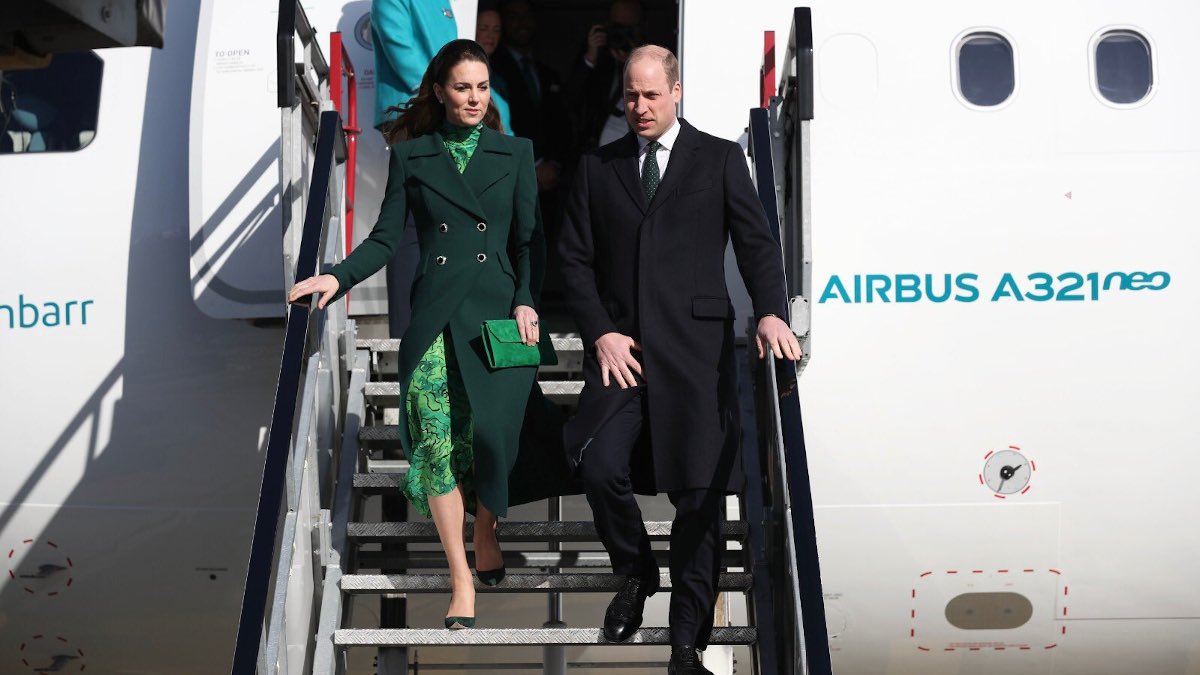
Verde es el color de la primavera, de la esperanza y también de Irlanda. Y verde es el color que ha escogido Kate Middleton para sus looks en la visita que está realizando junto a su marido el príncipe Guillermo a Irlanda. Primero con un look compuesto de abrigo verde y corte militar un vestido estampado también en tonos verdes y luego con un vestido verde con un acabado brillante que ha deslumbrado a todos en el Guinness Storehouse’s Gravity Bar.
Código de barras en tus labios? Te contamos como evitarlo en 7 tips

Aunque no podemos luchar contra el paso de los años, si podemos actuar contra los signos del envejecimiento que tanto preocupa a la mayoría de los mortales, y muchas veces con adoptar una serie de hábitos podría ser más que suficiente. Entre estas temidas zonas se encuentra una muy concreta: el contorno de labios.
Esther Cañadas, el motivo por el que ha vuelto a las pasarelas por Balmain
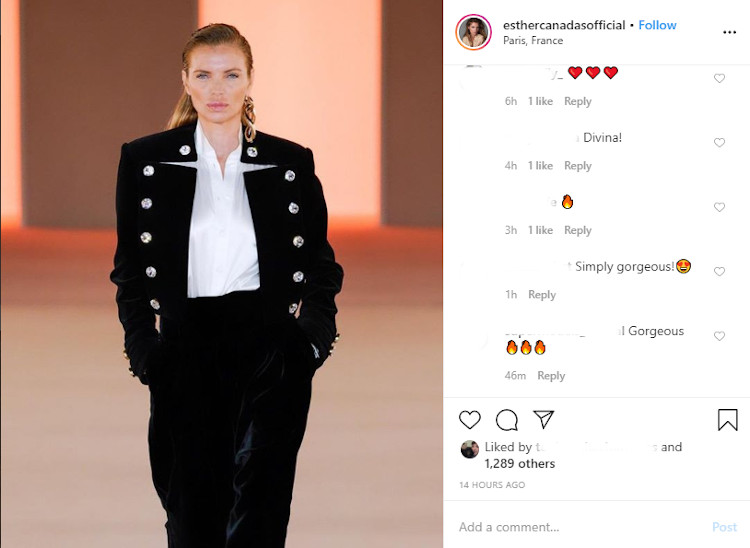
Esther Cañadas fue una de las modelos españolas más importantes de la década de los 90 y principios de los 2000. No había firma internacional que no contara con su presencia y se convirtió en la segunda española que se colgaba las alas de Victoria’s Secret. Todo un hito en el sector. Pero en el 2010 se despidió de las pasarelas de la mano de Custo Barcelona, y han tenido que pasar diez años para que volvamos a verla desfilar.
Los triunfitos ya no chocarán las manos en la pasarela de OT por el coronavirus
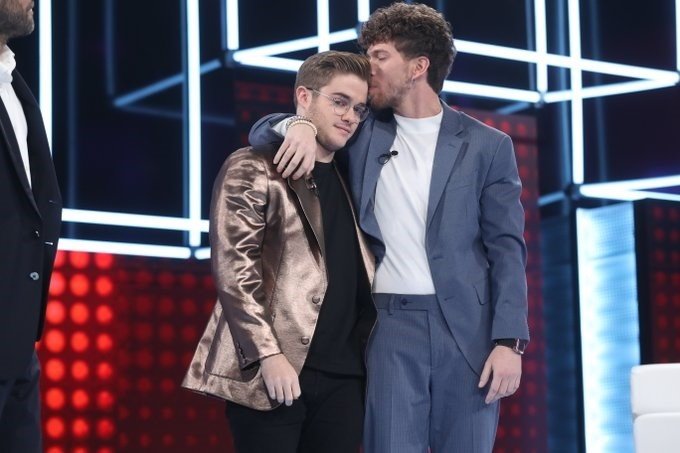
Se acabó chocar manos al pasar por la pasarela. Los triunfitos de Operación Triunfo tienen prohibido el contacto físico para reducir el riesgo de contraer el coronavirus Covid-19. De esta forma, los efectos del virus que se inició en China y que ha provocado más de 3.000 muertes en todo el mundo, llegan también a la televisión en España.
La nadadadora Ona Carbonell anuncia en Instagram que será madre: «el equipo aumenta»
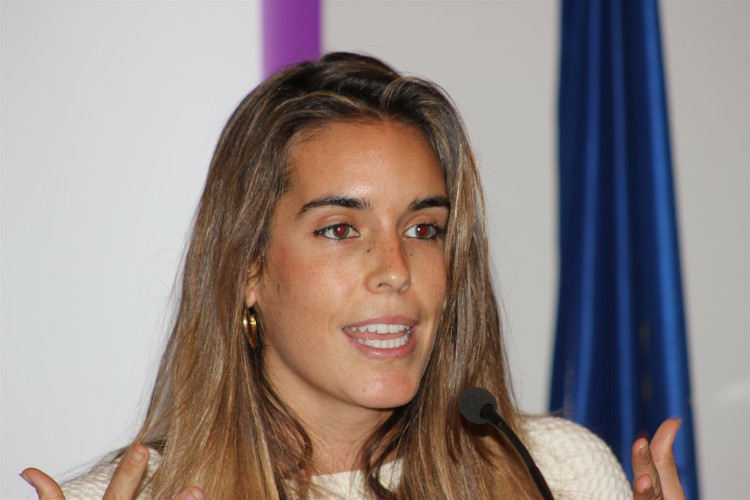
No ha tenido forma más bonita Ona Carbonell de anunciar que está embarazada. La campeona de natación sincronizada a sus 29 años, ha confirmado que está esperando un bebé. Así ha querido anunciarlo y compartirlo con sus compañeras y casi hermanas de equipo a través de su perfil de Instagram. «Las buenas noticias siempre son mejores cuando las compartes con tus compañer@s. ¡¡El equipo aumenta!!», ha escrito en su perfil junto con una foto de su equipo.
La Fashion Week inunda París de moda y de celebrities: Velencoso, Nieves Álvarez, Dulceida…
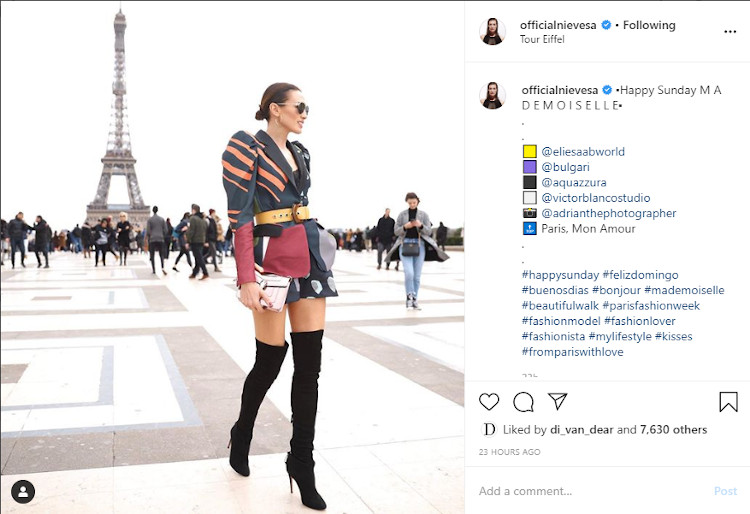
La capital francesa es estos días la capital de la moda con los principales diseñadores del mundo y también con los rostros más conocidos del mundo de la moda. Editores, influencers y modelos no han querido perderse la cita y han participado en los desfiles, en los eventos que realizan las más marcas más importantes y ya de paso han hecho turismo. Así los hemos podido ver en los front row y también frente a algunos de los monumentos más icónicos de París.
A guide to styling and making Dispatch your own

Dispatch is a Magazine style blog for your new website. Each of its features have been designed and built using GeneratePress and WP Show Posts. As expected of a Flint Skin Site it uses Custom CSS. At over 350 lines it is recommended, but not necessary, to move the Additional CSS to a Child Theme style sheet. So lets get onto making it your own. WP Show Posts Without WP Show Posts plugin, this Site wouldn’t exist. Another awesome product from Tom Usborne, WP Show Posts does exactly what the title says. Anywhere and everywhere in the case of Dispatch. So much so there is a dedicated page to explain its uses here. Social Icons – Desktop The Lightweight Social Icons widget has been added to the Header Widget. It only displays on Desktop as the Widget has the hide-on-mobile and hide-on-tablet-classes. Social Icons – Tablet and Mobile They are also displayed in the Slideout Navigation. Using the Slideout Widget. Social Icon Colors Colors are changed within the widget. Pagebuilders Can I use a page builder with Dispatch? Yes, you can if you wish. The only rule is that you need to use the Default Template for your Pages and Posts. To create a full width blank canvas template then follow these steps: Appearance > Elements > New Layout Disable Content Title Set Page Builder Container to Contained or Full Width Set Display Rules to the Pages you need a Blank canvas on. How do I change colors? The majority of Volumes colors are controlled by the Customizer. There are some Elements that are part of Volumes features that require CSS. This article covers where to make those changes: How to change the Custom Colors Logo and Site Identity Dispatch does not have a logo, just the Site Title. You … Seguir leyendo
Using WP Show Posts

Adding post lists and grids to your Site couldn’t be easier than with the WP Show Posts plugin. Dispatch uses the Free version to display posts on the Front page and in the Sidebars. Of course with a little Flint Skin CSS treatment. Head off to Dashboard > WP Show Posts > All Lists. Within are six lists: Align Standard Sidebar Header Simple Simple Sidebar Each of them have very particular settings required to match the demo content you see here. Changing those settings may affect the way the post is displayed, and not necessarily for the better. So please work on a duplicate or make a note before changing. Note: the name of the List has no relevance to the different styles displayed. General ( and important ) information Before we go into the detail let’s cover some basic and very important information. Advanced Settings For the purpose of the demo content a couple of the Lists are using Advanced Settings. First off the Standard List is using Ascending Order (Default: Descending). Secondly the Simple List is using Offset, so it omits the first 4 posts. You may want to put these back to default if you’re not intending to replace them. Duplicating WP Show Posts List So we have four lists, and we want to make a new Standard list with a different category. The easiest way is to use one of the Duplicate Post plugins in the WordPress repository. Simple hey. And it works for all post types including GP Elements. Awesome. Note: When making a duplicate you are generally given two options. Clone and New Draft. I advise using the New Draft as some people have reported issues when using Clone. List: Standard This is the standard WP Show Post list that has the same custom … Seguir leyendo
Hooks – Custom Theme Elements

Dispatch uses a few Hook Elements to create some Custom Elements in the site. All of them provide dynamic output and should not require any changes to their content. For more info on the Hooke Element read here: Hooks Element Overview Custom Post Navigation Adding a custom featured image post navigation at the foot of all posts. Please note: that the Post Navigation is disabled in the Customizer as it is not required. Secondary Navigation This hook calls the Secondary Navigation and displays below the header / header element. It also uses Display Rules so it is excluded from All Posts. Please note: the Secondary Navigation Location in the Customizer is set to No Navigation. WPSP Open Wrapper & WPSP Close Wrapper These two hooks create a Div wrap around the Enter Header, Summary and Entry Footer of the WP Show Posts. This is used to create the custom styling you see here.